
NexTrain Widget ⚙️ (Android only)
Welcome
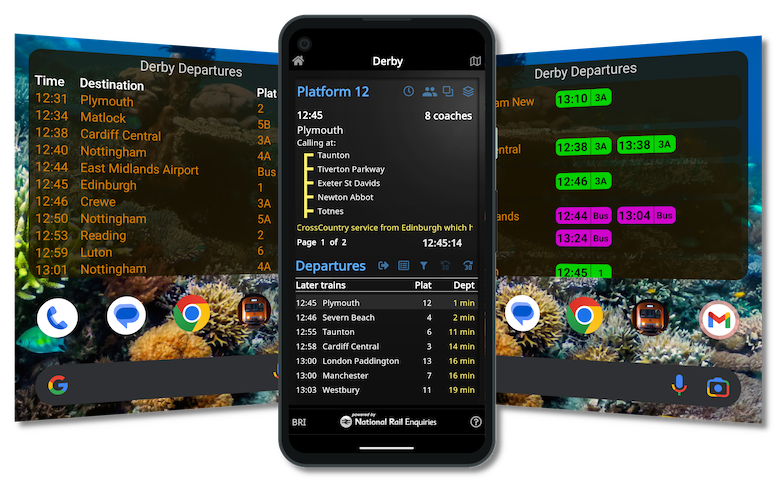
Say hello to effortless travel planning—right from your Android home screen. Our NexT`rain smart widgets deliver real-time service updates with style and clarity, so you’re always one step ahead on your journey.
Getting Started
Before you begin, ensure that your NexTrain app is installed on your Android mobile device. You can then right click on your Home Screen or on the NexTrain app to select a widget.

Features
Classic
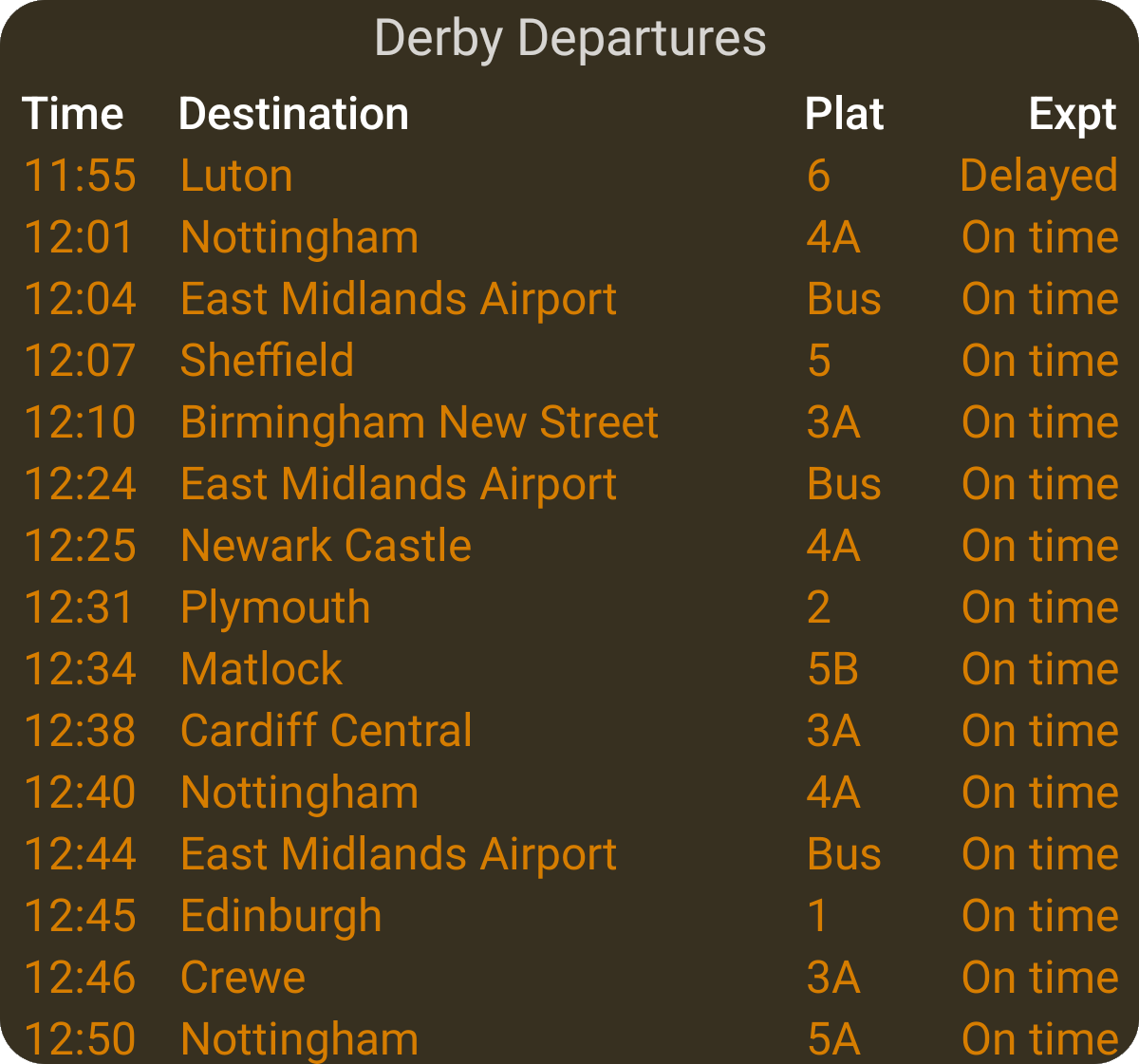
A sleek, text-focused layout that delivers the essentials with precision:
- Columns for Time, Destination, Platform, and Expected.
- Available in Wide and Medium formats—perfect for fullscreen widgets.
- Designed for those who want all the details, at a glance.
- Semi-transparent appearance, so your Home Screen wallpaper subtly shows through.
- Tap the station name to launch NexTrain
- The destination filter appears at the top if one is set (set using the NexTrain phone app)
Pills
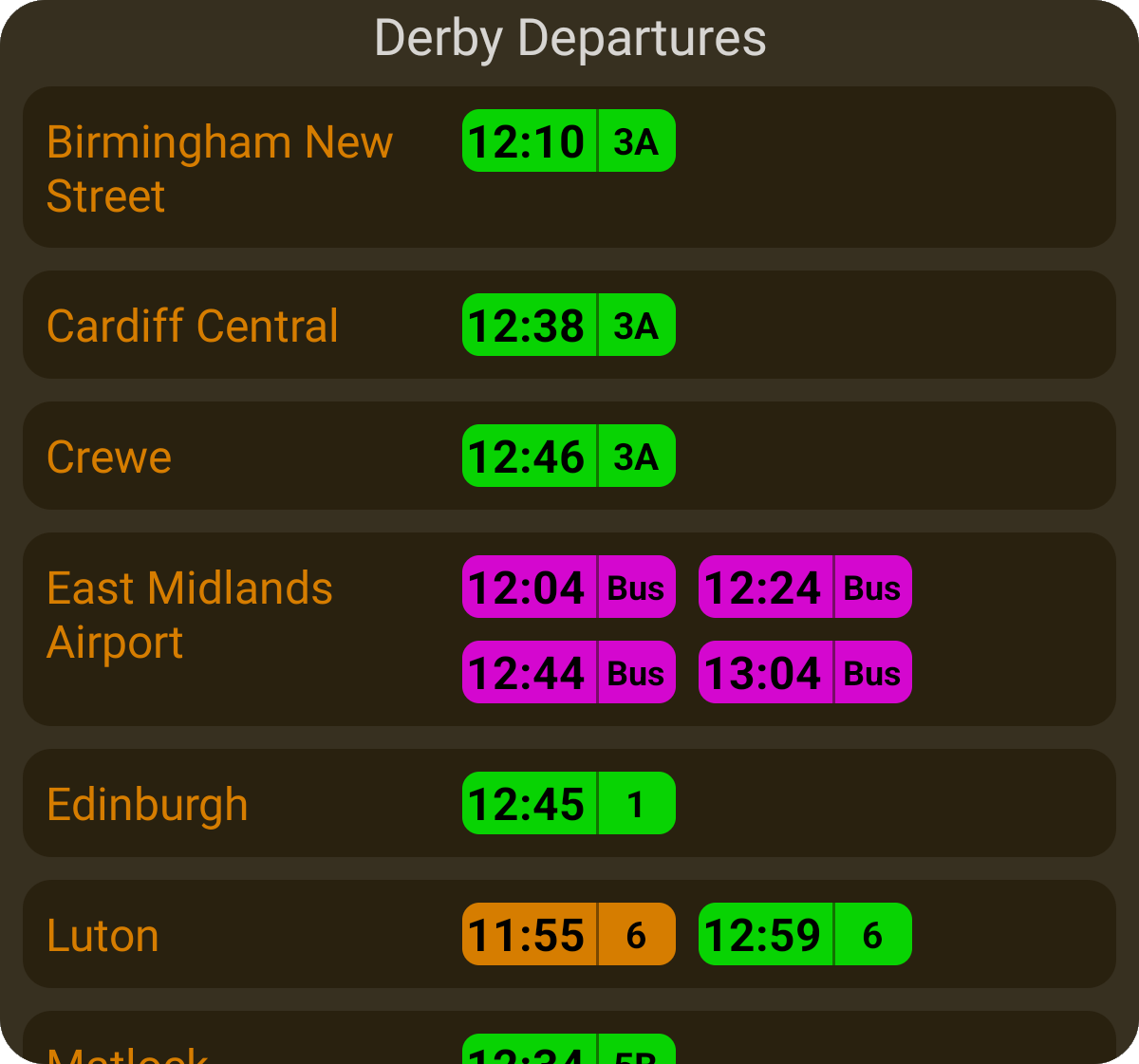
- Color-coded pills for clarity, with a handy colour key (scroll down and tap to activate)
- Platform info shown when available.
- Choose from Wide, Medium, or Narrow layouts—ideal for fullscreen or minimalist setups
- Semi-transparent appearance, so your Home Screen wallpaper subtly shows through.
- Tap the station name to launch NexTrain
- The destination filter appears at the top if one is set (set using the NexTrain phone app)
Stay In Sync
- Current station: When you select a station in your car, it will sync with your phone and vice versa, ensuring that the information is consistent across both devices.
- Destination Filters: Any destination filter you set on your phone (a specific destination) will automatically sync to your CarPlay/Android Auto display.
- Departures/Arrivals: Your app will keep departure and arrival mode selection synced between your phone and the in-car system.
Upgrade To NexTrain Pro
Unlock NexTrain Wear, Drive and Widget* and a fully ad-free experience to get more out of your journey.
Pro Monthly
£
Our
premium, ad-free experience
1.99
/mo
- 50p per week
- All
the features of Mobile
- 🚫 No Ads
- 🚘 Drive
- ⌚️ Wear
- 📺 TV (Android only*)
- ⚙️ Widget (Android only*)
Pro Annual
£
Our most popular
option
19.99
/yr
- Only 39p / week
- All the features of Mobile
- 🚫 No Ads
- 🚘 Drive
- ⌚️ Wear
- 📺 TV (Android only*)
- ⚙️ Widget (Android only*)
* NexTrain Widget and TV currently only available on
Android