NexTrain Drive 🛞(Apple CarPlay / Android Auto)
Welcome
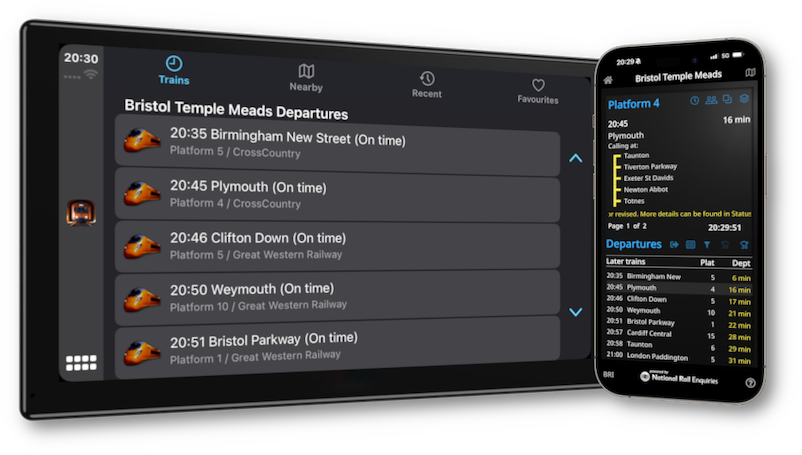
Welcome to NexTrain Drive, your go-to app for staying on top of the latest train departures & arrivals, and station details—all from the comfort of your car.
Whether you're on the road or just planning your next trip, NexTrain Drive seamlessly integrates with CarPlay and Android Auto, providing you with handsfree real-time updates and easy-to-navigate features that make traveling smoother than ever. Let’s dive into how you can make the most out of these fantastic in-car integrations!
Safety First 👍
NexTrain Drive is designed with safety in mind—especially for users on the move. When connected to your car’s screen via Apple CarPlay or Android Auto, the app lets you check live train departures without needing to touch your phone.
The interface is optimized for glanceable use, helping you stay informed without distractions. Whether you're picking someone up or timing your journey to the station, NexTrain keeps you updated while keeping your hands on the wheel and eyes on the road.
Getting Started
Before you begin, ensure that your NexTrain app is installed on your mobile device.
You'll need to connect your phone to your car's CarPlay (for iPhone) or Android Auto (for Android) system. Once connected, the NexTrain app will appear on your car’s display, ready to guide you.


Features
Trains
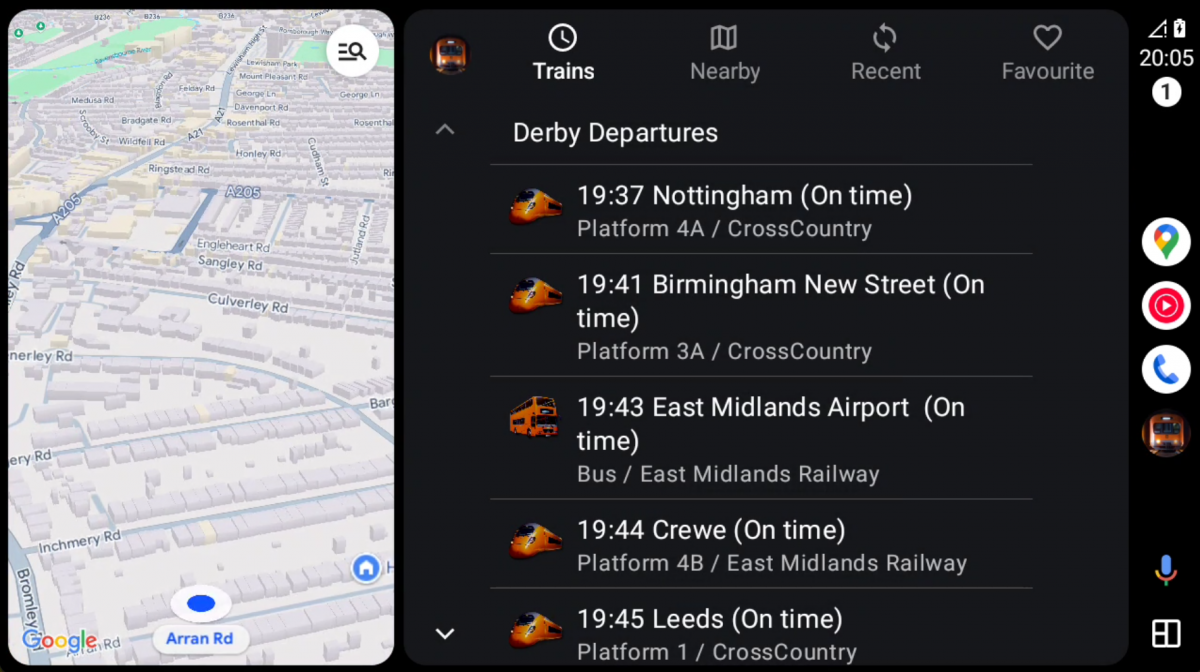
- View a list of nearby departures or arrivals for your chosen station.
- NexTrain will show you replacement/airport bus services if they are available
- Each entry shows the train or bus icon, along with the time, status, platform, and operator name.
Nearby
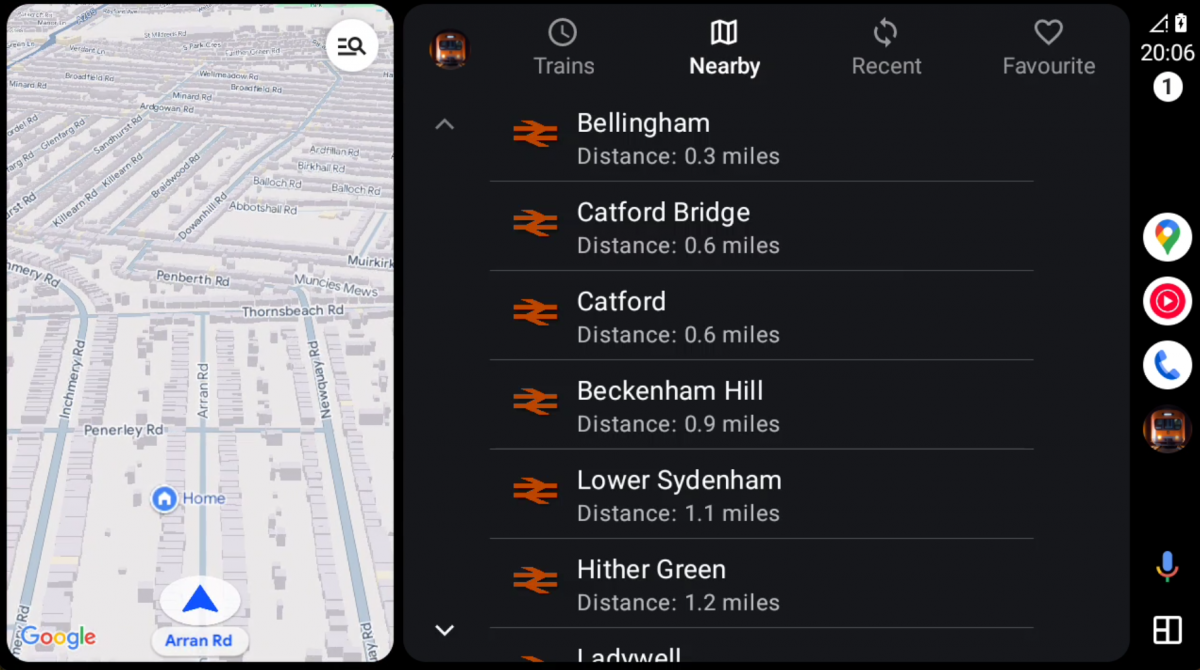
- View a list of nearby stations based on your current location.
- Tap any station to see its departures/arrivals and get directions.
- Nearby stations will also indicate if they have connections to other transit options, such as Airports or TFL stations.
- See how far the station is with miles indicated,
Recent

- Access a list of recently viewed stations.
- Tap on any station to view the latest departure/arrival details or get directions.
- Your recent stations list will automatically update and sync with your phone, so you're always in the loop
Favourite
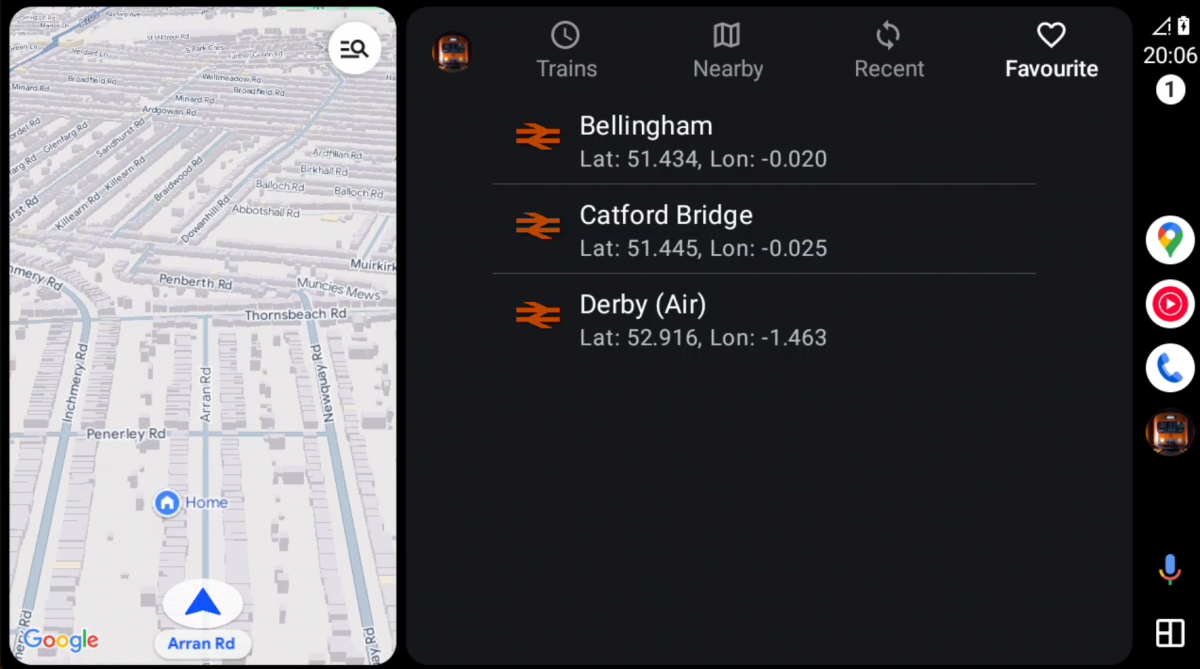
- Access a list of favorite stations
- Your favorites will stay in sync with your phone, so no matter where you are, your top stations are always ready for you.
- Home, Work and Favorite stations have their own icon styles
Station
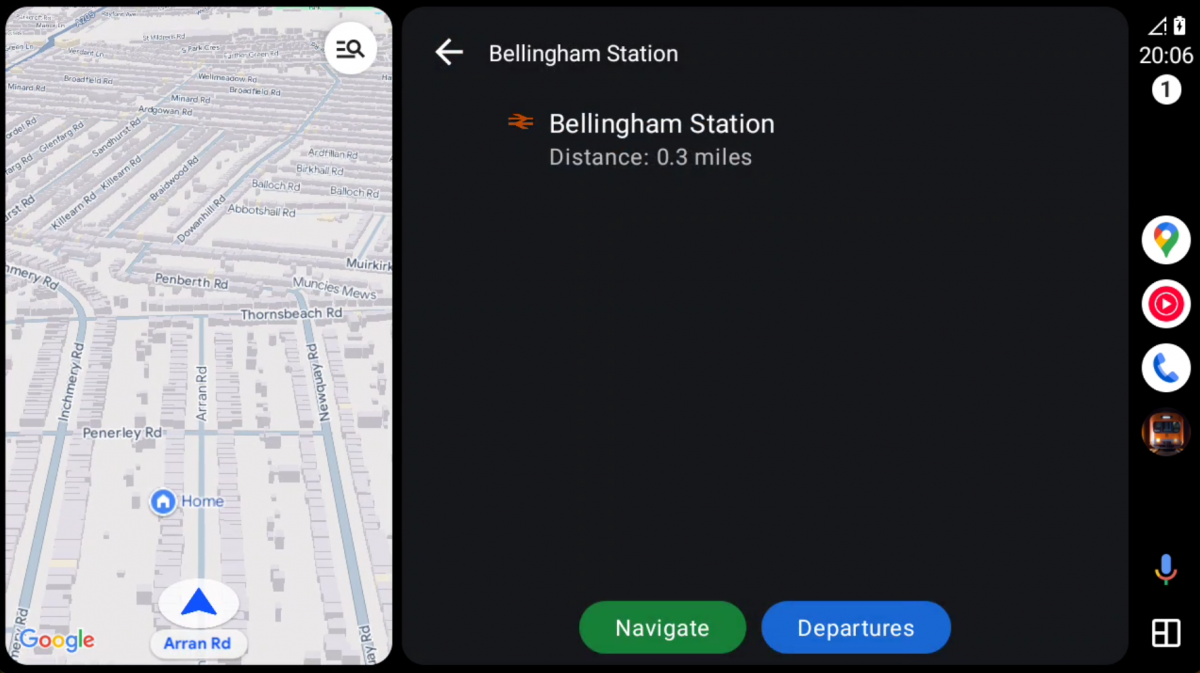
- Tap Navigate to jump to your car's navigation system and it will guide you to the station
-
NexTrain Drive integrates with Google Maps (for Android) or Apple Maps (for
iPhone) to provide directions to any selected station directly from your car’s navigation
system.
- Tap
Departures
(or
Arrivals to jump to the Trains view for the selected station
Stay In Sync
- Current station: When you select a station in your car, it will sync with your phone and vice versa, ensuring that the information is consistent across both devices.
- Destination Filters: Any destination filter you set on your phone (a specific destination) will automatically sync to your CarPlay/Android Auto display.
- Departures/Arrivals: Your app will keep departure and arrival mode selection synced between your phone and the in-car system.
- Location: If you have given permission to use your location, your phone will let your car system know the nearest stations.
- Favourites: Your favorite stations are synced from your phone to your car system.
Upgrade To NexTrain Pro
Unlock NexTrain Wear, Drive and Widget* and a fully ad-free experience to get more out of your journey.
Pro Monthly
£
Our
premium, ad-free experience
1.99
/mo
- 50p per week
- All
the features of Mobile
- 🚫 No Ads
- 🚘 Drive
- ⌚️ Wear
- 📺 TV (Android only*)
- ⚙️ Widget (Android only*)
Pro Annual
£
Our most popular
option
19.99
/yr
- Only 39p / week
- All the features of Mobile
- 🚫 No Ads
- 🚘 Drive
- ⌚️ Wear
- 📺 TV (Android only*)
- ⚙️ Widget (Android only*)
* NexTrain Widget and TV currently only available on
Android OS